Starting from an AI-generated product design as a mesh is not the same as having a CNC-ready part. People searching for an stl to step converter should be very clear about what gets preserved and what gets lost during the conversion process and what engineering work still needs to be done. While an STL file represents a surface by a number of triangles, a STEP file can hold full CAD data. Yet the STEP file often does not contain all features of the CAD design and the design intent may not be preserved. Also the manufacturing dimensions have not been verified yet. The aim of such a model-to-part handover is more than just finding an stl to step converter.
What an STL to STEP Converter Actually Changes
STL Meshes and STEP Geometry Carry Different Information
An STL mesh of an outer surface of a part is typically made up of many small triangles and does not contain any information about hole diameters, datum information, thread information, etc. STEP exchange files contain CAD surfaces and solids, but are only useful if the geometry was correctly created in the CAD system and can be correctly edited in the receiving CAD system. An stl to step converter typically creates surfaces or a solid from the STL mesh, but does not recreate the design operations of the original CAD file. Thus, for example, a buyer who intends to change dimensions of a part later in his design work needs to check whether the stl to step converter created a feature-based model or just a neutral body. The practical test to check for this is to try to change a critical dimension and see if this can be done without having to re-design the whole part.
Why AI-Generated Geometry Needs Engineering Review
Thin walls, blocked openings, uneven curves, and wrong proportions in an assembly generated by an AI model generation process are errors that can be found before conversion of the generated visual surfaces to CAD geometry, provided the functional faces, the mounting points, the clearances, and the required dimensions are marked in the generated surfaces. In contrast to visual surfaces, the mating parts and the sealing interfaces of an assembly can’t tolerate the same degree of approximation. So, instead of treating uncertain regions of an inferred shape as approved geometry, they should be marked for review.

A Practical STL-to-STEP Workflow for CNC
Inspect the Mesh, Scale, and Design Intent First
In checking the mesh for conversion to stl to step for production, look for missing triangles, flipped normals, non-manifold edges, self-intersections, and surface noise. Verify the units and scale to a known dimension or approved drawing. Do not make assumptions about production part size from rendered images of the part. Compare the final mesh with the original part design brief. It is wise to retain an unedited copy of the original source data for the part. Although a repaired mesh can be useful as a reference, it does not confer any knowledge of the part’s tolerance. Try to clearly identify which aspects of the part’s geometry are being checked for conversion purposes as being visual in nature and thus possibly inadequate for other purposes, functional in nature and thus possibly satisfactory for production, and simply unknown. Record the acceptance test for the reconstructed part data before proceeding with conversion using an stl to step converter. Which interfaces and surfaces were measured? Were any surfaces approximate in some way? Who accepted the converted data for use with the part? These questions help to ensure that the part’s use is the determining factor over the features of the software being used for the conversion, rather than the other way around.
Rebuild Critical Features and Export a Usable STEP File
Recreate flat areas, bores, bosses, and mating surfaces as CAD features in places where high accuracy is critical. Exterior surfaces can be roughed to appearance. Just how much re-creation of the original part is required will depend on how the part is to be used. In most cases, re-creating every single triangle as a separate feature will not result in a very usable part model. Open up the STEP file in the receiving CAD or CAM system and check for body closure, surface orientation, units, coordinate system, critical dimensions, etc. etc. just importing a file is not enough, it is just a file transfer. Go ask the receiving engineer if he or she can edit a single hole or interface without having to re-create the surrounding geometry. If not, then although exchangeable, the stl to step converter has not met the revision requirements.
How CNC Machining Affects AI Product Design
Review Tool Access, Workholding, and Machined Features
CNC machining removes material through controlled tool motion. The design therefore needs review for cutting access, workholding, internal depth, corner radii, stock, and finishing. A model that looks plausible may need a split, larger radii, or a different orientation before milling or turning. Multiple accessible faces may require a planned setup rather than a simple format change. CAM review should test whether the intended machine can reach the relevant geometry and how the part will be inspected. The stl to step converter stage cannot answer those manufacturing questions on its own; the CNC team still needs approved dimensions and a realistic setup plan. Conversion belongs before, not instead of, CAM and manufacturability review.
Use 3D Printing When the Open Question Is Form or Fit
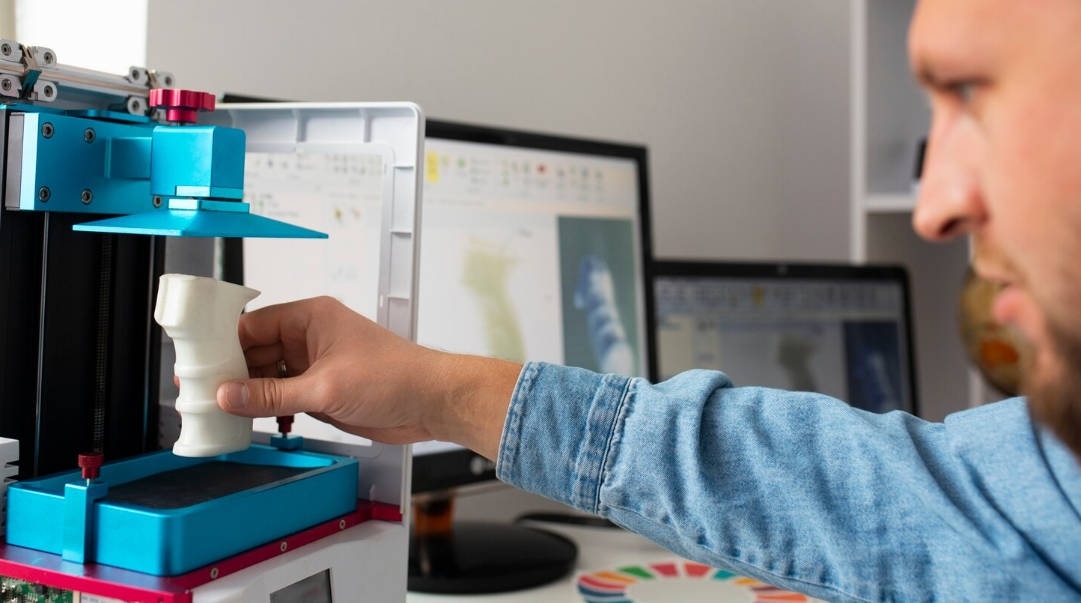
If appearance, envelope dimensions, or assembly fit are uncertain, a printed prototype can provide an early physical check before CNC programming. At Momaking, we offer 3D printing as well as CNC milling, so prototype feedback can help identify which interfaces need tighter CAD control. A prototype does not verify the final product’s strength, temperature resistance, or wear performance; those require appropriate materials and tests. Match the prototype process to the uncertainty being assessed, then update the model and revision notes accordingly.
How Momaking Supports the Model-to-Part Handoff
Review the Model Against the Intended Manufacturing Route
Momaking supports structural design, 3D printing, CNC machining, mold manufacturing, and injection molding. The team can review which surfaces are functional, what information is missing, and whether the next useful step is a prototype, machining review, or tooling discussion. This is manufacturing support, not a claim that every mesh can be converted automatically. When evaluating an stl to step converter, share the source mesh, intended material, quantity range, critical dimensions, and the question the model must answer.
Define What “Ready” Means Before Release
An appearance model typically only needs to look right in terms of surface detail whereas a mating part needs precise definitions of interfaces and exact dimensions of clearances etc. For a CNC handover, it is best to have a document that outlines current version number, material, quantity, surface finish, key dimensions and any inspection requirements. The original mesh should be retained and a note made of which features have been remodeled and which have been approximated. Open up the stl to step converter output in receiving package, measure key interfaces, edit a feature or two to verify that required setup can be planed with CAM, and that all changes subsequently made are verified against approved design intent. Make sure it is clear whether STEP file supplied is ‘release’ geometry or a neutral copy to be used for review purposes only so supplier knows which model to use for production and does not have to interrogate model to find out.
FAQ
Q: Can an STL-to-STEP Converter Create a Fully Editable CAD Model?
A: Conversion of an stl file to a step file using an stl to step converter may result in acceptable surfaces or even in a solid, but the design intent, the feature history, dimensions and interfaces will generally have to be re-established and checked. Request the receiving engineer to modify one feature in the resulting CAD and see if this can be edited as normal engineering CAD. Note that the converter is but one step of the overall engineering workflow.
Q: Is an AI-Generated Product Design Ready for CNC Machining?
A: Most parts are reviewed before cutting. This involves checking mesh, units, part functionality, tool access, workholding, tolerance and CAM plan.
Q: When Should an AI Product Design Team Choose 3D Printing Instead of CNC?
A: Use 3D printing when form or fit are the biggest unknowns. Then use CNC after you have decided on geometry, material, tolerance and access. In either case, it is a good idea to retain a copy of the approved source model and revision record.