AI product design is easiest to understand as a supervised workflow, not a button that replaces a product team. A beginner can use AI to turn a brief, reference image or customer need into several concepts, then move a selected direction through modeling, structural review and physical validation. The essential habit is to keep a human owner for every decision. In practical AI product design, generation expands the options; requirements, engineering judgment and testing decide what moves forward.
What AI Product Design Means for Beginners
AI Product Design Versus Traditional Product Design
Traditional product design usually moves from research to sketches, CAD, review and prototypes through a largely manual sequence. AI-assisted product design adds rapid text, image and 3D exploration to the front. A team can compare more forms, proportions and interfaces before detailed engineering. Exploration becomes faster and broader, while people retain responsibility for the brief and final choice.
A generated image may reveal a useful proportion, and a generated model may suggest a promising enclosure, but neither proves that the product can be assembled, serviced or manufactured. Treating outputs as hypotheses keeps inspiration separate from specification.
What AI Can and Cannot Automate
AI can organize research notes, summarize user needs, propose alternatives and prepare visual material. With clear inputs and rules, it can also assist with structural layouts, interference questions and early design-for-manufacturing checks.
AI cannot approve a safety-critical decision, confirm an untested tolerance or accept responsibility for a release. Human reviewers still check dimensions, interfaces, materials, service access, data rights and production constraints. The review should record why an option was accepted, revised or rejected.
How to Use AI for Product Design Step by Step
Start With a Product Brief and Constraints
Begin with a brief that names the user, use case, environment, key interfaces, expected materials and non-negotiable constraints. Add reference images or sketches, but label which features are factual and which are inspiration. Mark unknown dimensions or conditions instead of allowing the system to invent certainty.
This turns a vague prompt into a usable AI product development workflow and gives reviewers a comparison checklist. Identify who owns product decisions, who reviews engineering implications and what evidence is required before a prototype or quotation.
Generate and Compare AI-Assisted Concepts
Use text-to-image, image-to-image or multimodal prompts to create controlled variations. Change one meaningful variable at a time, such as grip proportion, control placement or visual style. Save the prompt and reference version so the team can trace each direction.
Compare concepts against a decision matrix rather than selecting the most attractive render. Discuss user fit, functional clarity, assembly logic, material assumptions and manufacturing questions. AI product design should broaden the design space while making trade-offs easier to explain.
Turn a Selected Direction Into a 3D Model and Structure
Move next from appearance to geometry. An AI-generated 3D model can provide a starting form, but the team must establish scale, interfaces, wall conditions and fastening points. Structural review should examine how parts connect and which surfaces need support or inspection.
The model becomes a shared review object: designers refine proportions, engineers flag conflicts and customers respond to specific interfaces. Record export formats and downstream requirements before CAD cleanup, slicing or supplier review.
AI Product Design Validation Before Manufacturing
Geometry, Requirements and DFM Checks
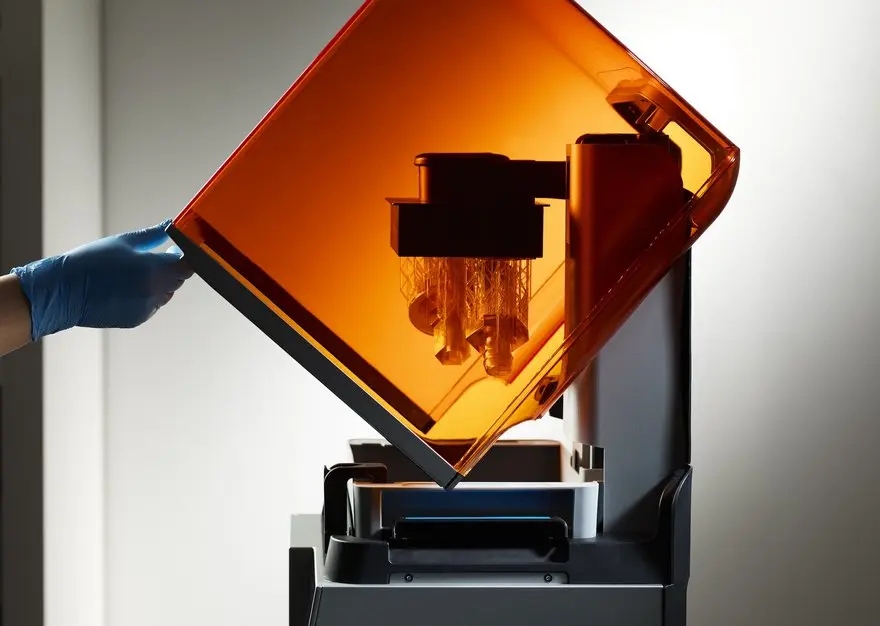
Before manufacturing, confirm that critical dimensions have references, mating surfaces are defined, materials fit the environment and features suit the selected process. Check tool access for CNC, parting considerations for molds and support or orientation for 3D printing.
These are engineering questions, not automatic certifications. Record tolerances, finishes, joining methods, inspection points and assembly sequence. A convincing surface model may still require structural redesign before a supplier can quote or build it.
Prototype Validation, Data Ownership and Sign-Off
Prototype validation connects a digital proposal with physical evidence. A printed or machined part can expose interference, awkward handling or weak support features. Record the test, observation and design change so a buyer can decide whether to iterate, change the process or proceed.
Teams should also control access to uploaded drawings, customer images and generated files, and retain approval history. Human sign-off confirms that the selected AI product design direction represents approved requirements and that open risks are understood.
Choosing Tools for an AI-Assisted Beginner Workflow
Compare Inputs, Outputs and Controls
Select a tool for the decision at hand. A concept sprint needs visual alternatives; a fit check needs dimensions and interfaces; a structural review needs editable geometry and recorded assumptions. Ask what inputs the tool accepts, which formats it exports and how reviewers can correct results.
Compare version control, user roles, file access and feedback. Attractive images create extra work if source context disappears. The most useful AI product design tool keeps requirements, outputs and decisions connected through the next handoff.
Protect Design Data and Keep Human Review
Set rules for confidential drawings, personal data, supplier information and third-party references. Separate approved source files from experiments, and label generated content so a draft cannot be mistaken for released product information. Check rights, claims and sensitive details before external sharing.
Human review is not a final formality. Designers own intent, engineers own feasibility questions, quality teams define evidence and product leadership accepts trade-offs. Clear roles let AI accelerate preparation without transferring accountability.
How Momaking Connects AI Product Design to Physical Manufacturing
From an Image or Brief to a Reviewable Structure
At Momaking, we support an industrial-design workflow that can begin with a customer image or concept. Our verified scope includes image processing, 3D modeling, structural analysis, visual feedback and user participation. This turns an early direction into a reviewable structure and clearer engineering questions, not an automatic production-ready file.
We keep the customer involved as proportions, interfaces and practical details are refined. The handoff records the agreed direction, known assumptions and open items that should be checked before a physical route is selected.
From a Reviewed Design to 3D Printing, CNC, Molds or Injection Molding
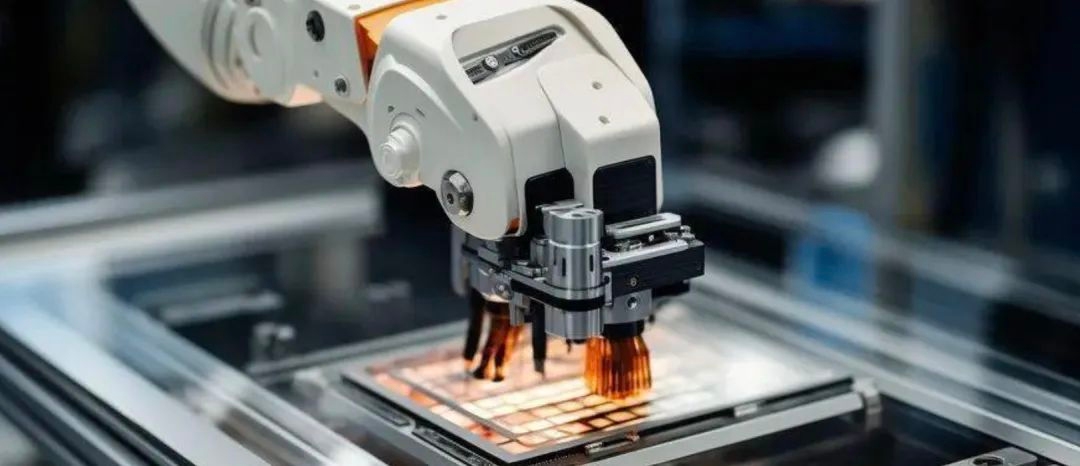
Our manufacturing categories include 3D printing, CNC machining, mold manufacturing and injection molding. Depending on geometry, material, quantity and validation goals, a buyer may use 3D printing for prototype learning, CNC for complex parts or injection molding for repeatable plastic production. The route remains project-specific.
Momaking can discuss the design files and manufacturing handoff while the customer confirms dimensions, materials, finishes, inspection requirements and approval gates. That boundary connects AI product design with practical production decisions without promising unverified accuracy, capacity, cost or lead time.
FAQ
Q: Can AI-assisted tools replace a product designer or engineer?
A: No. AI can expand options, organize information and prepare review material, but designers and engineers remain responsible for user needs, safety, manufacturability, testing and release decisions.
Q: Can an AI-generated output go directly to manufacturing?
A: Usually no. The output needs geometry cleanup, design-for-manufacturing checks, material and interface review, and prototype or other validation evidence before tooling or production.
Q: What should a beginner provide for an AI-assisted design request?
A: Provide a reference image or concept, intended use, key interfaces, known dimensions, material expectations, approximate quantity and decision priorities. Momaking can use those inputs to discuss structural design and a suitable manufacturing category.